
Aico File Manager1.1.3 - Get APK
You'll be able to download in few seconds.
Publisher Description
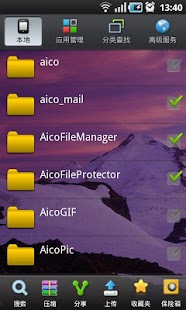
Aico File Manager is a file management tool, which is easy to use and own excellent function, it can search file ultra-fast, can quickly use categories to find file, can efficiently manage phone files and applications; it support many advanced services such as: Network Disk, Network File Sharing, Disk Analysis, Barcode Scanning, Remote web desktop services and FTP services etc.
Main features:
* Ultra-fast and real-time file search
Search immediately when Enter, in general, display search results within 1 second, and search results can be multi-dimensional filtering, sorting;
* Very easy to use categories to find,
According to image, audio, video, documents, receiving Bluetooth files, or other types of files to find.
* Powerful functional file management,
Support batch share, upload, backup, copy, move, delete, compress etc., and build in file zip and unzip function.
* Rich application management capabilities,
Can efficiently manage the phone application, including one key backup software, uninstall, share ,etc.;
* Intelligent extension of the file processing
Support automatically associated with mobile phone' files and application installing, with the more applications install in mobile phones, it can obtain more Powerful to edit and manage file.
* Convenient network disk and web file sharing
3G high-capacity, support batch of uploading file and folder, and can instantly upload pictures \ sound recording\ video after saving ! Phone contacts and SMS records can backup to network, and keep forever! The powerful sharing function support folder sharing , which easy and fast to share with friends
* Advanced service functions, more intimate use
- Do not need USB cable or install PC suite when use the remote Web desktop and FTP service. Via browser, you can visit and manage the phone file directly; can check and send message; can manage and backup communication record and contacts.
-Scanning Download: use the phone to read two-dimensional graphics, you can download the applications, books, pictures, etc.;
-Barcode scanning: barcode and QR code are read successfully by barcode scanning while display the results, it also support that put the business cards, website, text and so on to generated two-dimensional code;
-Disk analysis: gorgeous chart shows disk space usage; convenient process management and a key cache cleanup, can find or delete a lot of useless files quickly;
-Free and No Ad., support for setting theme to change the theme background , so that the interface more dazzling and personalized.
Official Website: http://www.aicoapp.com
Sina microblog: http://weibo.com/aicoapp
Email: aicoapp@gmail.com
Service QQ:1754291252
About Aico File Manager
The company that develops Aico File Manager is AicoApp.com. The latest version released by its developer is 1.1.3.
To install Aico File Manager on your Android device, just click the green Continue To App button above to start the installation process. The app is listed on our website since 2012-07-20 and was downloaded 0 times. We have already checked if the download link is safe, however for your own protection we recommend that you scan the downloaded app with your antivirus. Your antivirus may detect the Aico File Manager as malware as malware if the download link to com.huawei.dsm.filemanager is broken.
How to install Aico File Manager on your Android device:
- Click on the Continue To App button on our website. This will redirect you to Google Play.
- Once the Aico File Manager is shown in the Google Play listing of your Android device, you can start its download and installation. Tap on the Install button located below the search bar and to the right of the app icon.
- A pop-up window with the permissions required by Aico File Manager will be shown. Click on Accept to continue the process.
- Aico File Manager will be downloaded onto your device, displaying a progress. Once the download completes, the installation will start and you'll get a notification after the installation is finished.
Program Details
System requirements
Download information
Pricing
Version History
version 1.1.3
posted on 2012-07-20
Several fixes and updates
version 1.1.3
posted on 2012-07-20
Disclaimer
External Download
We do not host Aico File Manager on our servers. We did not scan it for viruses, adware, spyware or other type of malware. This app is hosted by Galad and passed their terms and conditions to be listed there. We recommend caution when installing it.
The APK Download link for Aico File Manager is provided to you by apps112.com without any warranties, representations or guarantees of any kind, so access it at your own risk.
If you have questions regarding this particular app contact the publisher directly. For questions about the functionalities of apps112.com contact us.
